Blog ala Vidar
SQL, AppFrame and other cool technologies
1337 G4M3R
Posted by on February 21, 2010
As some of you might already know, I’ve become a gamer lately. I’ve never been a big fan of games (normally playing a couple of hours, and then no gaming for several months). This changed when I bought my Xbox 360. I had a PlayStation 3, but for some reason I didn’t get hooked on this. I was hooked on TrackMania for a while, but got tired of sitting in front of the PC ALL THE TIME. So, now I’m sitting in front of my TV ALL THE TIME 🙂 I thought I’d share my experiences with you, so you know which games to buy when you buy your Xbox!
First off, to play any game online (XBL) you need an Xbox Live Gold subscription. This is about 500 NOK a year (about 80$). Compared to PlayStation this is expensive, since PlayStation is free, but you’ll get a lot of extra stuff like videos, demos, beta-releases, expansion packs etc. You can also buy “Microsoft Points” which enables you to buy games on demand and other stuff. This is of course optional! You also create your Avatar, which is used in some games, to show off your cool sunglasses or similar. Add me to your friend’s list, and I’ll kick your ass in any game! 🙂 My Gamer tag is PolarSirNordnes.
Assassin’s Creed 2
Third person action/adventure game. The story is set in 2012 where you play 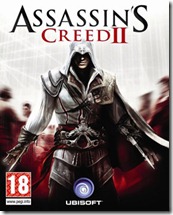 a guy called Desmond Miles. Desmond enters a device which enables him to get memories from a guy called Ezio Auditore da Firenze, who lived in Italy around 1500. Early in the game Ezio’s father and two brothers gets hanged and your mission is to revenge these deaths. You become an “Assassin”, which is the opposite of the Knights Templar in the Da Vinci Code. You learn to assassinate people using knives, swords and many other weapons. This is a great game, although it’s single player only. It’s got great graphics and a very good story including persons like Leonardo Da Vinci.
Conclusion: Best single-player game made so far!
Call of Duty: Modern Warfare 2
This is THE game. Nothing beats this in my lifetime. I’m 100% sure. This is a game containing three game types. Special Ops, Campaign and Multiplayer. 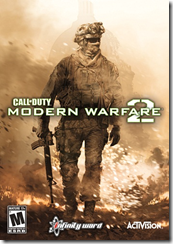
In Special Ops you can either play alone, with a friend on split screen or online with a friend. There are 23 different missions, going from “sneak around, make sure no one sees you” to HEAVY fire. There’s also 3 levels on each mission: Regular, Hardened and Veteran. Me and a friend are almost finished with all the missions on Veteran. Believe me, that’s REALLY hard!
Campaign mode is single player only. Here you follow Sergeant Gary  “Roach” Sanderson, Private First Class Joseph Allen and Private James Ramirez through different missions. Basically USA goes to war with Russia and you (as these three persons) need to help USA win this war. I’m not going to revile much, because you just have to play it! For the record, I’ve completed this on Veteran 🙂
Multiplayer enables you to play maps, not missions like the other two. This is basically the same as all the other FPS (First Person Shooter) games out there, except a couple of things. You start off as a Private (level 1) and work your way up to Commander (level 70). At the moment I’m Brigadier General I (level 55). You can see all the ranks here. To get rank up you need to complete challenges. These vary from blowing up a car to get 100 headshots with one weapon. The only thing I don’t like about this game is all the 10 year olds playing online yelling and being assholes. Therefore I’m glad you can mute people 🙂 This is awesome playing with your friends online, although I haven’t had the chance of doing this much since I don’t know that many people playing it online.
Conclusion: If you’re over 18, you HAVE to buy this game. Best multiplayer game EVAH
Fable 2
This is a sequel to the very popular action role-playing game “Fable” 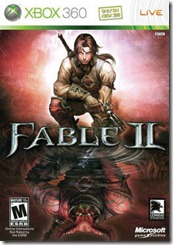 developed for the original Xbox. The story begins with you (Sparrow) and your sister (Rose) being two poor kids in a poor part of a town, struggling to get food for the next day. You manage to gather 5 gold coins to buy a music box which grants you a wish. The wish is to live in Castle Fairfax. When visiting the castle, the owner (Lord Lucien) kills your sister. After this you fast forward 10(?) years, and start tracking down this Lord Lucien to make your revenge on him. Not the best graphics, but the story makes up for it. In addition to the main story, they’ve built in several short “missions” where you have to save a town from weird creatures or similar. Pretty fun role-playing game. Btw, the sequel to this (Fable 3) is supposed to come in 3rd or 4th quarter of this year, so be prepared!
Forza Motorsport 3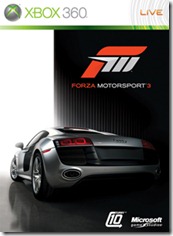
For all the gearheads out there, this is THE game. It’s very similar to the Gran Turismo games, but with much better graphics. I don’t know what to write about this except if you’re a gearhead, this is a MUST HAVE.

&
#160;
Halo 3 ODST
Halo is a series of FPS games developed by Bungie and published by 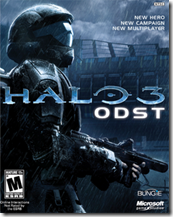 Microsoft. You play a Spartan (the cool guy in the picture) where your goal is to shoot as much hostiles as possible. If you want to know more about the history read it for yourself. I started playing the campaign mode, but found it boring and wasn’t impressed with the graphics (after playing MW2). The multiplayer stuff was very cool though! I’ve played this a bit with Aleksander (in Omega’s Oslo office), and this is really worth recommending.
Apple iPhone 3GS vs HTC Touch HD2 Leo
Posted by on February 15, 2010
I’ve been using HD2 for about two months, and to be honest it’s the best phone I’ve ever had! It’s quick, really good resolution good touch etc but my heart couldn’t take it anymore. Why? I’m subscribing to 20 different podcasts. Most of them are updated weekly, but some are updated daily. Copying files manually was a too big pain in the ass for me, so I sold my soul to the devil and trade it for an iPhone. So, which is better?
iPhone pros (and HD2 cons):
iPod (which means podcasts actually works the way it should!)
AppStore – This is an awesome feature!
Relatively large internal storage (32GB)
Smaller – doesn’t really mean much to me since it’s either in my pocket or on the table
iPhone cons (and HD2 pros):
The screen – I’m not a hardware expert, but the screen sucks compared to HD2
Touch – Might be that I’m not used to this one, but it’s a pain every time I’m texting.
iTunes – You need to have iTunes to active your phone, and sync it.
So to sum it up. If I didn’t subscribe to 20 podcasts I would, without a doubt, still use HD2. It’s as I said the best phone I’ve ever used. The AppStore is a ingenious invention, but after using a couple of hours you’re tired of it. I’m using my phone for mainly three things: Calling, podcasts and texting. Till Windows Mobile (or from what I’ve heard, they’ll call it Windows Phone from version 7) have a proper way of syncing podcasts I’m sticking to iPhone. If you’re not subscribing to podcasts GO FOR THE HD2!
Oh, and btw. Thanks for all the comments last time. I’ve tried all the applications and none of them does the job. Either you have to use iTunes and the other application, or there’s no way of tracking your played items on both ends (computer and phone).
NNUG Haugesund – Update
Posted by on February 1, 2010
The Windows Azure presentation and demo application is uploaded now http://www.nnug.no/Avdelinger/Haugesund/Moter/NNUG-Haugesund—Januar-2010/ . I can also announce that we’re going to get several distinguished visitors this year to speak for us. I don’t want to mention names or topics yet, but we’re getting MVPs (Most Valuable Professional) and RDs (Regional Director), so be prepared for an awesome year!
My Issues With Technology
Posted by on January 31, 2010
We’re now at the end of January, 2010. 20-30 years ago people thought we’d fly around in our private helicopter-like vehicles, have a device that we could just tell what food we wanted and it made it for us building it from scratch (atom-level). I can go on and on where we thought we’d be. We’re not there yet, but we’re getting closer and closer every day. But if we’re so close, why is there so much bugging me with technology? I tend to think it’s because the people creating it doesn’t understand the end-user’s expectations. I’m not the most normal end-user, but here’s my list of things that REALLY annoy me:
Podcasts on Windows Mobile
October 23, 2001 Apple released their first iPod. They weren’t the first on the (mp3 player-) market, but they’ve been superior when it comes to user friendliness. When I bought my HTC Touch HD2 “Leo”, I hoped I could get rid of iTunes and start using Zune. Zune is Microsoft’s answer to iTunes. I’ve heard it works perfectly with Zune-devices, but it won’t connect to my phone, even though it’s Windows Mobile 6.5 (latest release). iTunes connects to your iPod, iPhone etc, but Zune only connects to your Zune devices. I’ve tried finding a shop that will send me a Zune HD, but no luck. US ONLY! So, then I’m stuck with using my iPod and my HTC phone. I’ve actually started considering buying an iPhone, just because that makes my life easier when it comes to podcasts. Yes, I know. You can download the podcasts using Zune, manually copy the mp3-files over to your phone using sync and then use windows media player on the phone to play them. But, then I need to do all the syncing manually. After all, I’m subscribing to TWENTY different podcasts. WE’RE IN 2010 NOW! Why is Zune HD only available in the US? Have no idea, but I assume it’s some EU-shit. Microsoft: grow some balls, pay off the people standing in your way and start selling it here too! If not, at least make support for WM, NOW!
X-Box Live Points
This is a sort of payment system Microsoft have made available on X-Box Live (their “meeting place” for X-Box enthusiasts). In my opinion this is a very good system, makes it easy for you to buy games, demos, videos, music+++, but why isn’t EVERYTHING available with points? Some I have to use my credit card to buy, and some isn’t even available at all! I have to go to for instance play.com to order a game which they send in the mail (yes, snail-mail), which takes everything from 7-14 days, depending on if it’s “in stock” or not. WE’RE IN 2010 NOW! Why can’t I just download the game I want, the day it’s released? Pay FULL PRICE (with points), and be able to play the game NOW instead 14 days from now? Again, I assume this is not Microsoft’s fault. It’s probably EU-shit, again (by now, you’ve probably figured I’m not a big fan of EU :P). Microsoft: grow some balls, pay off the people standing in your way and start making it easier for us end-users!
The Music Industry
10 years ago everyone was using Napster to download music, but then came Metallica with their lawsuits. I’m a big fan of their music, but not their attitude to sharing music. Now there’s finally a good client for us that want to download/stream music, whenever we want, where ever we want. I pay 1188,- NOK each year (about $200) to listen to music whenever, where ever. I’m of course talking about spotify. But, why isn’t Metallica there? Or AC/DC? Or Led Zeppelin? They probably don’t get enough money. I’d gladly pay another annual $200 to get them there. WE’RE IN 2010 NOW! I actually expected that 10 years from Napster we’d be able to listen to what we want, where ever we want, without bringing CDs all over.
iTunes
When it comes to podcasts, this application is THE BEST. It’s in its own class when it comes to user friendliness here. But why is it so slow? Do they even know about multithreading? It’s almost as slow and non-responding as Java-applications *hiding behind the couch, waiting for all “Java iz ze bezt”*.
Apple
What do I have to do to buy an (Norwegian) iPhone? I’m using Ventelo as my service provider. I don’t like buying things on eBay and similar sites. It’s not possible on apple.com, not ventelo.no or any web shops I’ve tried. Also, there’s too much talk about Apple in my opinion. Yes, they’ve created a GREAT mp3-player, and from what I’ve heard a GREAT phone, but what about the rest? I’ve tried Mac a couple of times, and I’m not impressed. Yes, the mouse-pad gestures are a great invention, but I just didn’t like the OS. This might have something to do with me being a Microsoft enthusiast, but I just didn’t get used to it. I’ve even thought of buying a Mac, just to see what the fuzz is all about, but what am I supposed to use it for? You can’t run SQL Server or Visual Studio. The only thing I then could do is sync my iPod (or iPhone, if I bought that), and watch series. But, that works GREAT on my Dell Vostro. One other thing bugging me about Apple is their closed attitude. They (almost) never tell what’s in their security updates, they don’t care about open source AT ALL. In addition, the iPad “hoax”. No multitasking, drag’n’drop, USB, flash, SD, HDMI, Camera. What DOES it have? I thought Torbjørn Lunde’s statement “I use FlashBlock on all my browsers and I really miss all those ads” was a good comment, and it made me add a flash blocker. But, would mom do the same? She’s probably one of those clicking those ads, because it’s now new years and “time to burn some fat”. They’ve said that iPad is the perfect way to watch pictures, movies etc. Why isn’t there a SD, or even a camera? I must admit, I want to buy it. I have no idea why, and what I’m supposed to use it for (as well as a Mac book).
SQL Server Management Studio
Yes, there is one thing really bugging me about this. In SQL Server 2005 Microsoft released a new feature called NEWSEQUENTIALID(). I’m not going into details what this is, because that’s not what this is about. My ONLY problem with this feature is if you’re using it as a default value on a column in a table (which is the only place you can use it), you get the following message if you change something in that table: “Error validating the default for column ‘Column1’”. I reported it as soon as I found it, and I’ve reported it several times. I even got a group together to vote for it. 2008 got released, still same message. I’m now using 2008 R2 Nov CTP, and it still gives me this message. Is it really that difficult too fix?
I’m sure I’ll get some hate-mail from Apple supporters, or maybe Metallica, but what I’d really love to hear is how can I get my (HTC) phone to sync podcasts with my computer?
Recursive CTEs
Posted by on January 18, 2010
Some might panic now and think “OMG WTF does this mean LOL?!?!?!?!”. Let’s start with the second word (or acronym), CTE stands for Common Table Expressions and means that you can write something like a sub-select in T-SQL. An example would be:
WITH MyCTE AS
(
	SELECT TOP 1 *
		FROM Employees
)

SELECT *
	FROM MyCTE
This doesn’t make much sense, as you could just do:
SELECT TOP 1 * FROM Employees
But, if we add the other word, “Recursive”, which means doing something repeatedly, we might add some sense to it. First we’ll create a test table and put in some test data.
CREATE TABLE Employees
(
	ID TINYINT NOT NULL,
	Name VARCHAR(20) NOT NULL,
	ManagerID TINYINT NULL
)

INSERT INTO Employees
  (ID, Name, ManagerID)
SELECT 1, 'Petter', NULL UNION ALL
SELECT 2, 'Morten', 1 UNION ALL
SELECT 3, 'Trygve', 2 UNION ALL
SELECT 4, 'Vidar', 3 UNION ALL
SELECT 5, 'Håvard', 3 UNION ALL
SELECT 6, 'Stian', 5 UNION ALL
SELECT 7, 'Trine', 5 UNION ALL
SELECT 8, 'Werner', 4 UNION ALL
SELECT 9, 'Jakob', 2 UNION ALL
SELECT 10, 'Geir Ove', 9 UNION ALL
SELECT 11, 'Øystein', 10
As you see from this, Petter is the CEO. He’s only got one directly under him, and that’s Morten. Under Morten you’ve got Trygve, which has two directly under him: Vidar and Håvard. THIS IS JUST TEST DATA! Now that we got some test data, we can try to find out who’s got who as managers. We want it in the correct order, so that the hierarchy is correct. Petter first, then Morten, Trygve, Jakob. Then Trygve and Jakob’s employees. How to solve this? EASY!
WITH MyCTE (ID, Name, ManagerID, SortOrder) AS
(
	SELECT ID, Name, ManagerID, 0 AS SortOrder
		FROM Employees
		WHERE ManagerID IS NULL
	UNION ALL
	SELECT E.ID, E.Name, E.ManagerID, C.SortOrder + 1
		FROM Employees AS E
		INNER JOIN MyCTE AS C ON E.ManagerID = C.ID
)

SELECT *
	FROM MyCTE
	ORDER BY SortOrder, ManagerID
First we’re selecting out the one where ManagerID IS NULL, and then we’re recursively joining this and unioning it to show the output. Try it yourself and you’ll see for yourself!
Off topic… My new awesome background image, thanks to Werner:

2009 Summary
Posted by on December 23, 2009
Yes, we’ve come to the part of the year where everyone’s summing up the last year. I’m about to do the same, and I’ll also give out some awards. So, what’s been happening the great year of 2009? Let’s start with my accomplishments: I’ve moved to another department, started playing with WPF, Silverlight, WCF, LINQ, Azure, Chrome OS and Wave. Cuddled with Windows 7, started “5 minutes interviews”, Wiki, listened to A LOT of podcasts, seen too much series, played A LOT trackmania, hosted a couple of NNUG events and written 68 blog posts. I’ve also been on sick leave most of the year, so I’m pretty happy! Now let’s move on to what’s happened in the rest of the world. The only things I can remember, without cheating/googling is Michael Jackson dying and the release of Windows 7. Not much in other words, but then again, I’ve got about 128kB RAM and it’s all used!
Awards:
I thought I’d start a tradition giving out awards. If you’ve got suggestions for next year, let me know!
Best server software – SQL Server 2008 R2
I doubt SQL Server will ever loose this category, but hey! Maybe next year!
Best client software – Microsoft Security Essentials
Man, this have really saved A LOT of phone calls for me. I’ve installed it on all my friends and family’s computers. It (almost) never bugs you about updates, scans. It’s simple, light and have found more viruses than Avast and AVG on my 5-minute-testing.
Best speaker – Mark Russinovich
Excellent sessions about the kernel changes in Win7 and 2k8R2. Watch them at http://microsoftpdc.com/Videos.
Best blog series – Bad habits to kick (Aaron Bertrand)
Reading all the 15 blog posts should be mandatory for everyone that’s touching SQL Server.
Best wiki updater – Werner Waage 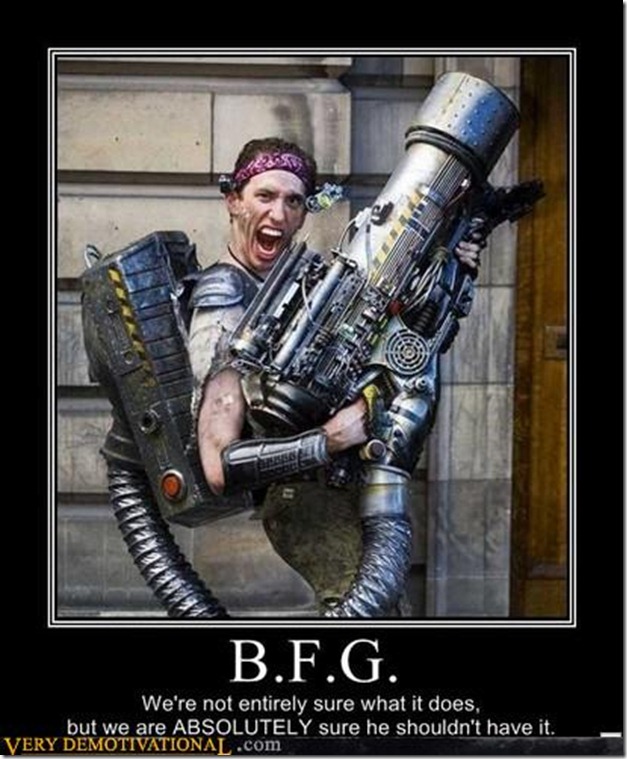
Best picture 
Best boss – Johnny Vik 
If you’ve got requests for blog posts, either technical or interviews, please let me know. Also, remember to update wiki. If you’re good I’ll send you a t-shirt. The first to send me an e-mail with what the pictures got to do with the ones getting the prize will also get a t-shirt!
Last, but not least, Merry Christmas and happy new year!
Home servers – Part 2
Posted by on December 21, 2009
Now all my servers are set up as I wanted them, running everything in AD (Active Directory) and monitoring it with SCOM (System Center Operations Manager). Well, everything in AD is a bit of an exaggeration, since MS Home Server doesn’t like this. I find it weird, but that might just be me. Anyways, after struggling for some while I removed it from the domain and things started working again 🙂
I’ve also used quite some time to try to install SCMDM (System Center Mobile Device Manager), to be able to add my phone to the domain. After installing all the prerequisites I found out it only supports installing on Windows Server 2003. This really bugs me, since it’s now almost two years since Windows Server 2008 was released, and SP1 for SCMDM was released almost a year ago, which did include support for running with AD 2008, but not running on a 2008 server!
Next, I’ve been trying to get rid of my iPod. Not as in selling it, but using my phone as podcast player. Here Microsoft really have something to learn from Apple. With iPod/iPhone you just plug your device in and it syncs with iTunes. What do you think I have to do to sync my podcasts and/or music with my computer? MANUALLY copy the files over. Yes, I said MANUALLY! Steve Ballmer said in an interview that they were planning to add Zune to Windows Mobile. I hope they soon (Zune?) can get their ass out of their ass, because iPod was first released in Q4 2001. That’s 8 years ago, and Microsoft STILL doesn’t support this. So, because they’re so slow, me and a friend of mine (Erik Skagen Vindenes) have started a little project called PodcastPlayer. It’s not only to solve my issues with syncing, but also to learn new technologies. For instance, I’ve now created my first WCF (Windows Communication Foundation) service and started understanding the great possibilities with WCF compared to normal web services. It’s also a great project to start learning Silverlight and the new features of .NET 4.0. I’ll keep you posted about the project when we’ve got something to show.
Did I mention I bought an Xbox? I’ve never been a gamer (except Transport Tycoon and Trackmania), but the Xbox really found the gamer in me. Add me to Xbox Live and I’ll kick your ass in both FIFA 10 (or FIFA 1.0 as we call it) and Call of Duty Modern Warfare 2! My gamer tag is PolarSirNordnes. In addition to games Xbox is a nice media-center which automatically connected to my home server enabling me to play my movies and music directly from it. I already have a media center PC, where I’m going to test out a new MediaCenter application called XBMC MediaCenter recommended by JanCB, but till then I’ll enjoy the nice UI on the Xbox!
Home servers
Posted by on December 16, 2009
As a part of the Christmas presents to myself, I bought some new hardware for my server. I had a main board laying around with a quad core AMD processor. Yes, I hate AMD, but it’s better to use it than just having it laying around.. Anyhow, I bought 8GB RAM and 2x2TB disks for it. I’m running Windows Server 2008 R2 on it with Hyper-V, so it’s running 7 virtual servers, including Active Directory, SQL, Web etc.

Over you can see how good I am in Visio! This is a bit outdated since I’ve now bought a Gbit switch to put in my living room so my HDPC, PS3 and my soon to arrive Xbox will all be connected. Hyper-V has a cool feature which enables me to add an internal network between the servers. This is running on 10 Gbit! It’s used for backup, service-monitoring etc. So, why do I need 7 virtual servers? For testing! I’m generally VERY interested in technology, and this enables me to do almost what ever is possible. For instance, I’ve never had the time to check out SharePoint. I know it’s some kind of web-server-thingy, but that’s about it. Also, I want to check out Exchange 2010 and some cool features related to AD in 2008 R2, including Direct Access. The SQL Server is of course running 6 instances (2005, 2005Express etc). I’ve also installed BizTalk on vsWEB. What’s BizTalk? Have no idea! That’s why I’m doing this 🙂
So, to sum up. I’m going to test out SharePoint, Exchange, BizTalk, System Center Operations Manager, AD and of course play a bit with some SQL features I haven’t used too much time with: Analysis Services and Reporting Services. I’ll hopefully get to blog about my findings, if I’m not TOO exited when getting my Xbox. If there’s something in particular you want me to blog about, please let me know!
Chrome Beta
Posted by on December 13, 2009
I’ve been running chrome for some time now, and I’m very happy with it. In the beta they’ve started adding a couple of new features which some might not know about. First out is the “bookmark synchronization”. You set it up to sync with your Google account, and you’ll get all your bookmarks on all your computers. Really nice for those of us that has 3-4 computers that are regularly in use.
 Second out is extensions. This has been one of the key features Firefox-users have been missing. I’ve only installed 4 extensions, since I’ve never missed this feature from Firefox. All the extensions are placed in the top right corner, right beside the new and tools-buttons. I’m using “One Number” which collects the number of unread mail, news and waves. IE Tab, which enables you to run a tab with IE inside chrome. StumbleUpon which is a cool site where you check of what you’re interested in, and it randomly shows you pages that have been categorized by other users. The last extension I’m using is Google’s similar pages. After installing Google Chrome Beta, go to https://chrome.google.com/extensions to install your extensions. NB! You need to be running chrome in English to be able to use this.
HTC Touch HD2 LEO
Posted by on December 12, 2009
It’s almost Christmas time and therefore I had to buy myself a couple of presents. One of them was a new phone, HTC Touch HD2 aka “LEO”. For technical specifications click here. I also bought a 16GB microSD card, so I can use it as a podcast player while I’m commuting from and to Ølen. I’ve been playing with the phone for a couple of days now, and I must say. I’M IMPRESSED! I’ve had 4-5 different WM (Windows Mobile) phones, and they’ve all been struggling with performance. This is now not a problem anymore. They’ve put a 1GHz CPU in it in addition to 448MB RAM which makes it fly. The best performance test I’ve got is importing contacts. On older phones, after I’ve imported 1000 contacts from Omega’s contact register the phones have been very sluggish and to be honest, useless. After doing the same “performance test” on this phone, it was still quick! You can see a video of it here and here.
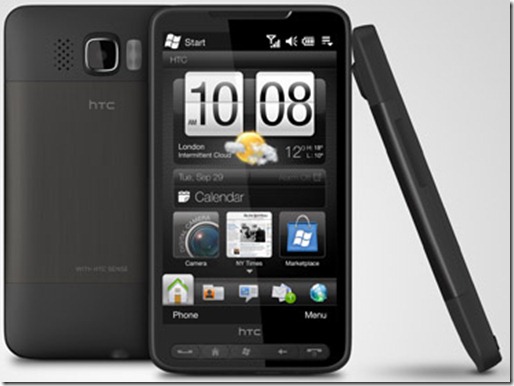
It’s a big phone. A bit bigger than iPhone. I’ve wanted an iPhone for some time now, but I’m anti-Apple. If you want to discuss apple, go find someone else. I’ve played with my uncle’s Mac, and I don’t like it. My uncle loves it though, and for his use it’s probably pretty good. I don’t do videos, pictures and stuff like that. I work with SQL Server, Visual Studio etc and when that’s available on Mac, I’ll give it another chance. Till then, I’m not interested in even hearing about how much YOU love Mac 🙂 Oh, and btw. iTunes is one of the worst performing applications ever made for a computer 🙂
So, enough about Apple. No, not yet. Let me just say: this phone kicks iPhone’s metal shiny ass, 5 times! I’ve always liked qwerty-keyboards on these types of phones, but Leo only has a touch keyboard. Even with my big thumbs this is actually pretty good. After a couple of minutes I got used to it, and typing with both thumbs makes it really fast. This was made possible by some new display type. You can run a knife over the display and it doesn’t leave a mark! Just check this video. Turn off the volume, since he’s only speaking gibberish. I’ve tested this myself, and it works 🙂
Trygve recommended a couple of applications that makes it even cooler. Here’s a quick list of the ones I found most useful:
- BsB Tweaks – Application that enables you to change “hidden” settings in the OS
- S2U2 – Slide 2 Unlock 2
- TorchButton – Application that uses the flashlight on the back of the phone as a torch
So, to conclude: This is the best WM phone I’ve ever tested. It’s even better than my old Nokia 7110! I really recommend this phone for everyone. Maybe not my mom, but everyone with an computer-IQ over average should own one of these!


 Blog ala Vidar